
How video credits work
Video rendering is metered transparently. One credit is one second of 2K video at 24fps, and the cost scales linearly with resolution and frame rate. Here is the exact formula, with worked examples.
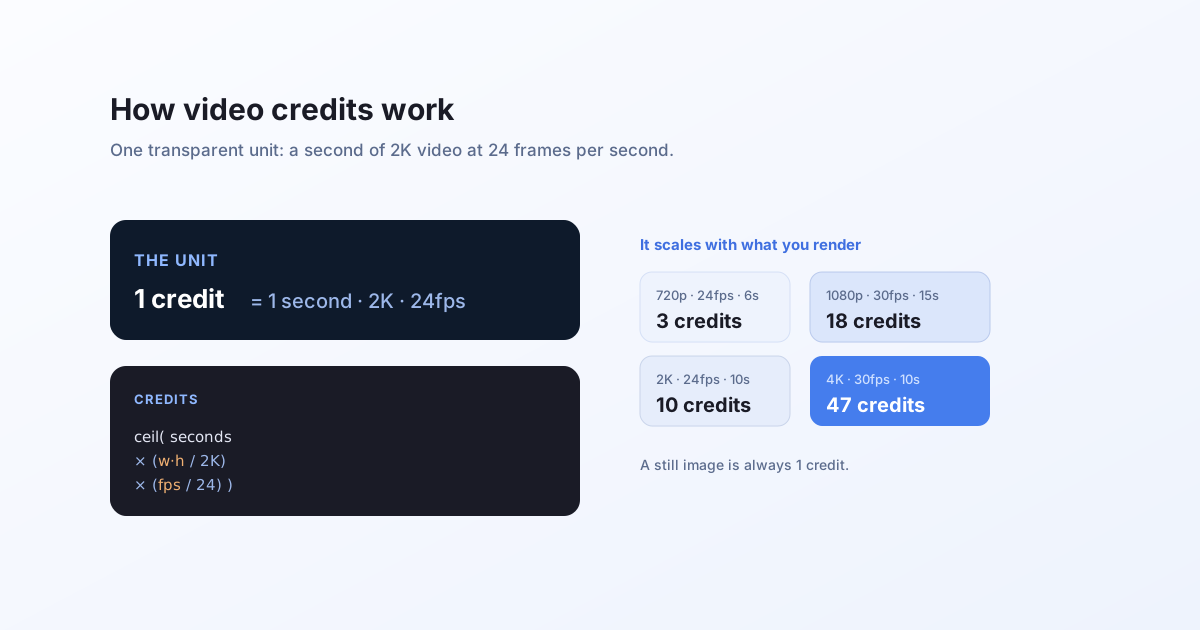
The unit
A still image render costs 1 credit. Video is metered by how much you actually render, on one simple unit:
1 credit = 1 second of 2K video at 24 fps.
"2K" here is a frame area of 2048 × 1080 pixels. A render at that size and frame rate costs exactly 1 credit per second. Larger frames or higher frame rates cost proportionally more; smaller or slower ones cost less.
The formula
credits = ceil( seconds
                × (width × height) / (2048 × 1080)
                × (fps / 24) )
That is it. The cost is your clip's total rendered pixels (area × frame rate × duration) measured against one 2K second. Two consequences worth knowing:
- A render always costs at least 1 credit.
- The per-second rate (the
1in "1 credit per second") is a single number we can adjust. The shape of the formula does not change.
Worked examples
| Output | Credits |
|---|---|
| 720p (1280×720), 24fps, 6s | 3 |
| 2K (2048×1080), 24fps, 1s | 1 |
| 2K (2048×1080), 24fps, 10s | 10 |
| 1080p (1920×1080), 30fps, 15s | 18 |
| Square 1500×1500, 24fps, 8s (the demo) | 9 |
| 4K (3840×2160), 30fps, 10s | 47 |
Read the pattern: doubling the duration doubles the credits; a 4K frame is about four 2K frames, so it costs about four times as much per second; 30fps costs 25% more than 24fps.
Why meter this way
Rendering a video means rasterizing every frame and then encoding them, so the real work scales with the number of pixels processed: resolution × frame rate × duration. Metering on that exact quantity keeps the price honest in both directions. A short, small clip is genuinely cheap, and a long 4K clip pays for the resources it actually uses, rather than every render costing the same flat amount regardless of size.
Estimating before you render
Because the formula only needs the output size, frame rate, and duration, you can compute the cost yourself before calling the API. The template's own animation (its duration and fps) and dimensions are what the meter reads, unless you override width or height on the request.
Next
- Generate video via API: the request and the streamed response.
- Render your first template: the quickstart, including your free starting credits.