
Render your first template
A five-minute API quickstart. Get a key, POST a templateId with your data, and get a rendered image or video back. Includes public demo templates you can call with no key at all.
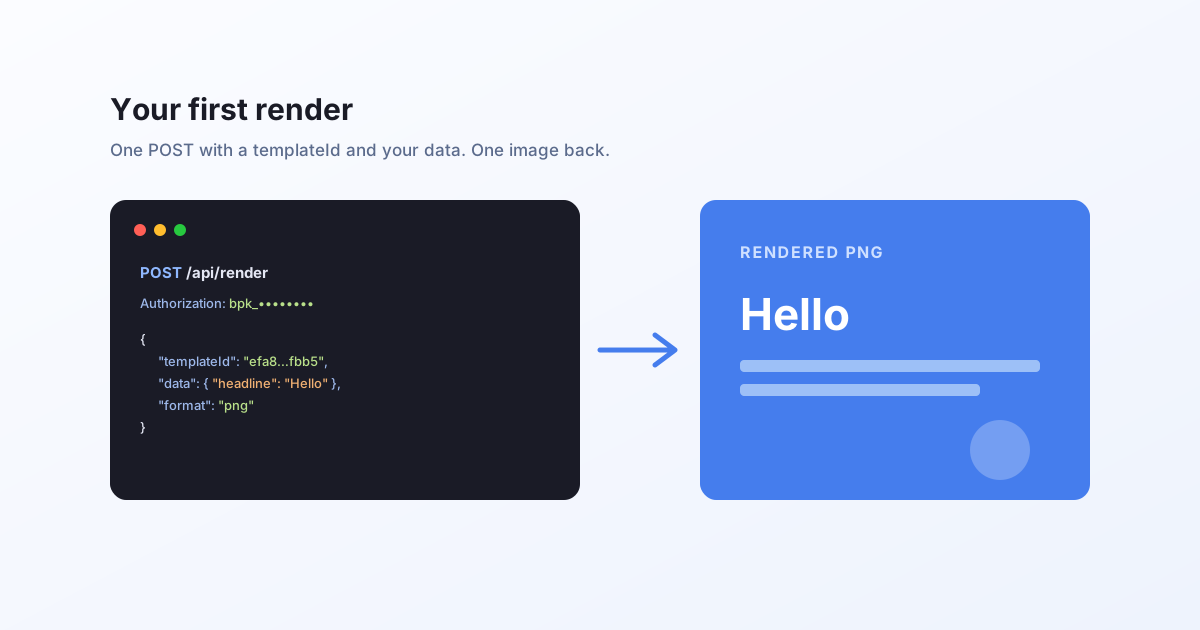
The idea
You design a template once in Bluepic Studio, where every field is an input. Then you render it from your own code by sending its templateId and the data to drop in, and you get an image (or, if the template is animated, a video) back. The engine re-fits text and images so the layout stays correct no matter what you send.
Try it with no key
There is one public demo template you can render with no API key and no credit cost. Copy this:
curl -X POST "https://api.bluepic.io/api/render" \
  -H "Content-Type: application/json" \
  -d '{
    "templateId": "efa8ff2c-262b-4488-b8cf-e01521c6fbb5",
    "format": "png"
  }' \
  --output render.png
You get a render.png back. That is the whole loop: one POST, one image.
Get your API key
For your own templates you need a key.
- Sign in at your account. A key is issued automatically the first time.
- Copy the key (it starts with
bpk_).
Pass it as the Authorization header, with no Bearer prefix.
Render your own template
Once you have built and saved a template in Studio, grab its templateId (the Studio editor's Code button shows a ready-made snippet for that template). Then:
curl -X POST "https://api.bluepic.io/api/render" \
  -H "Authorization: bpk_your_key_here" \
  -H "Content-Type: application/json" \
  -d '{
    "templateId": "YOUR_TEMPLATE_ID",
    "data": { "headline": "Hello from the API" },
    "format": "png"
  }' \
  --output render.png
The data object holds one entry per input field in your template. Any field you leave out keeps its default.
From JavaScript
const res = await fetch("https://api.bluepic.io/api/render", {
  method: "POST",
  headers: {
    "Authorization": "bpk_your_key_here",
    "Content-Type": "application/json",
  },
  body: JSON.stringify({
    templateId: "YOUR_TEMPLATE_ID",
    data: { headline: "Hello from the API" },
    format: "png",
  }),
});

const blob = await res.blob(); // the rendered image
Render a video
If your template is animated, ask for a video format and you get an MP4 instead. There is a public video demo you can call with no key:
curl -N -X POST "https://api.bluepic.io/api/render" \
  -H "Content-Type: application/json" \
  -d '{
    "templateId": "7ccf097c-10f2-4efc-bd03-8abe967c4711",
    "format": "mp4"
  }'
A video takes longer to produce, so the response is a stream: live progress events, then a final event carrying the hosted MP4 URL. That is what -N is for. See generate video via API for how to read the stream, and one template, two outputs for the still-vs-video idea.
Formats and options
format can be png, jpeg, pdf, svg, or the video formats mp4 and mov. A few optional fields:
width/height: override the output size in pixels.dpi: resolution forpdf.quality: 0 to 1 forjpeg.svgVectorizeText:trueoutlines text in SVG output,falsekeeps it as live text.
Video formats return a Server-Sent Events stream rather than the file bytes; the image formats return the file directly.
Credits and limits
Every account includes 100 free render credits per month. An image render is 1 credit; a video is metered by length and resolution, at 1 credit per second of 2K at 24fps (see how video credits work). The public demo templates above are free and unmetered. Check your balance any time on the account page.
Next
- Render a personalized clip: generate video via API, or batch many at once.
- The complete API reference, including rendering a raw IDML file and every error you'll hit.
- Building templates in Bluepic Studio.