
One template, two outputs: still and video
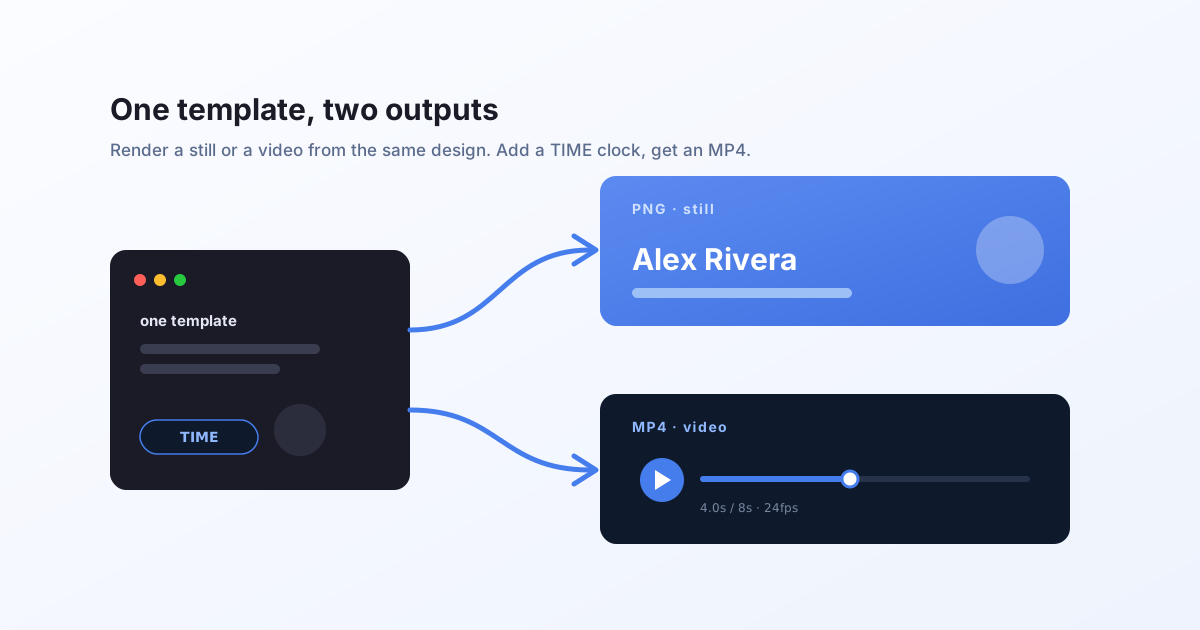
The same Bluepic template renders a PNG or an animated MP4. Change one thing, the format, and the same design becomes a personalized video. No second tool, no separate video template.
The idea
A Bluepic template is reactive. Position, scale, opacity, colour, and text are expressions, not fixed values. That is what lets one template render a thousand on-brand images from your data.
Add one input, a TIME clock, and those same expressions become an animation. So the template you already use for images is also a video template. You do not build a second thing. You change the format on the same request.
format: "png"(orjpeg,pdf,svg) gives you a still.format: "mp4"(ormov) gives you the animated clip.
Same templateId, same data. One design, two outputs.
Try it with no key
There is a public demo video template you can render with no API key and no credit cost. It is the same one on the /video playground. Its inputs are a photo (image4_image) and two lines of text (text2_text, text1_text).
First, render a still. An animated template is a function of TIME, so pick the frame you want by passing TIME in data (in seconds):
curl -X POST "https://api.bluepic.io/api/render" \
  -H "Content-Type: application/json" \
  -d '{
    "templateId": "7ccf097c-10f2-4efc-bd03-8abe967c4711",
    "data": {
      "TIME": 4,
      "text2_text": "HEAR ME SPEAK AT",
      "text1_text": "THE BLUEPIC EVENT!"
    },
    "format": "png"
  }' \
  --output frame.png
You get frame.png, the design at the 4-second mark.
Now render the video. Same template, same data, format: "mp4":
curl -N -X POST "https://api.bluepic.io/api/render" \
  -H "Content-Type: application/json" \
  -d '{
    "templateId": "7ccf097c-10f2-4efc-bd03-8abe967c4711",
    "data": {
      "text2_text": "HEAR ME SPEAK AT",
      "text1_text": "THE BLUEPIC EVENT!"
    },
    "format": "mp4"
  }'
That is the whole point. Nothing changed but the format.
Video streams; stills come back whole
A still is small, so the request returns the file bytes directly. That is why the PNG example uses --output.
A video takes longer to render (frames first, then encode), so instead of making you wait blind, the request returns a Server-Sent Events stream. You get live progress events and, at the end, a hosted URL for the finished MP4. That is what -N does: it tells curl not to buffer, so the events arrive as they happen.
data: {"type":"init","sessionId":"…"}
data: {"type":"keyframe","frame":48,"totalFrames":192}
data: {"type":"encode_video","frame":140,"totalFrames":192}
data: {"type":"end","result":"https://…/result.mp4"}
Read the stream until the end event and take its result. That is your video's URL. In JavaScript:
const res = await fetch("https://api.bluepic.io/api/render", {
  method: "POST",
  headers: { Authorization: "<your API key>", "Content-Type": "application/json" },
  body: JSON.stringify({
    templateId: "7ccf097c-10f2-4efc-bd03-8abe967c4711",
    data: { text1_text: "THE BLUEPIC EVENT!" },
    format: "mp4",
  }),
});

const reader = res.body.getReader();
const decoder = new TextDecoder();
let buffer = "";
let url = "";
for (;;) {
  const { value, done } = await reader.read();
  if (value) buffer += decoder.decode(value, { stream: true });
  let i;
  while ((i = buffer.indexOf("\n\n")) !== -1) {
    const line = buffer.slice(0, i).split("\n").find((l) => l.startsWith("data:"));
    buffer = buffer.slice(i + 2);
    if (!line) continue;
    const evt = JSON.parse(line.slice(5).trim());
    if (evt.type === "end") url = evt.result;
    // otherwise evt.frame / evt.totalFrames drives a progress bar
  }
  if (done) break;
}
// `url` is your rendered MP4
On your own templates
To render one of your own templates, add your API key (issue one on the account page and pass it as a raw Authorization header, with no Bearer prefix) and use its templateId. Any template you built in Bluepic Studio with an animation (a duration and a frame rate) renders as video. Every other template renders as a still.
Metering is simple. A still costs 1 credit; a video is metered by length and resolution (1 credit per second of 2K at 24fps, see how video credits work). The two public demo templates (this one and the image demo) are free and unmetered.
Why this matters
Personalized video is normally a separate, expensive pipeline: a video editor, a timeline API, or a render farm you operate. Here it is the template you already have and the request you already make, with one field changed. Change the data, get a fresh clip. One per recipient, product, city, or language.
Next, read how any property animates as a function of TIME in the expression engine.