
Automated product & e-commerce videos
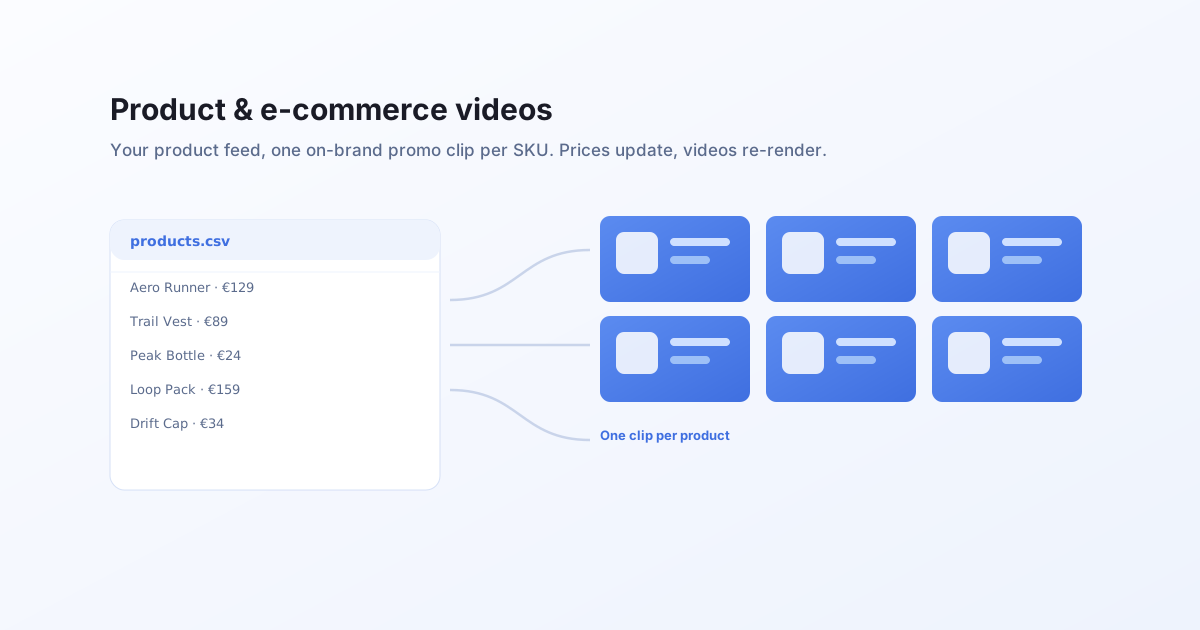
Turn your product feed into on-brand promo videos. Design one reactive template, feed your catalog, and render one clip per SKU. When a price or product changes, re-render, do not re-edit.
The problem with a growing catalog
A store with a thousand SKUs cannot hand-edit a video for each, and the catalog changes every week.
It does not scale by hand
One video per product means editing thousands of clips. Nobody has that much design time, and new products never stop arriving.
It goes stale
Prices, names, and stock change constantly. A hand-made clip is out of date the moment the feed updates.
Every channel wants a different shape
Square for the feed, vertical for stories, wide for the site. Three ratios multiply the manual work.
How it works with Bluepic
Design the product template once
Build one animated template in Studio with the product image, title, and price connected as input fields, on your brand background.
Feed your catalogue
Point the render at your product feed, a CSV, or your commerce API. Each row is one product.
Render one MP4 per product
Send one request per row. Each returns a hosted, on-brand product clip, ready for the feed, the store, or an ad.
A concrete example
Render one clip per product by sending its fields as data. Use your own template's field names:
curl -N -X POST "https://api.bluepic.io/api/render" \
  -H "Authorization: <your API key>" \
  -H "Content-Type: application/json" \
  -d '{
    "templateId": "<your product template>",
    "data": {
      "product_image": { "src": "https://…/aero-runner.jpg" },
      "title": "Aero Runner",
      "price": "€129"
    },
    "format": "mp4"
  }'
Loop it over your product feed to render the whole catalogue in one pass. See batch animate videos.
Why a template beats one-off edits
Always current
When a price or product changes, re-render from the feed. The videos stay in sync with your catalogue automatically.
On-brand by construction
Layout, fonts, and colours live in the template. Only the product data changes, so every clip in the set matches.
Every ratio, stills too
Render square and vertical from the same feed, and a matching still product card by switching the format.
Turn your catalog into videos
Design the template once, render every product from your feed.