
Batch animate videos
Generate hundreds of personalized videos from one template. Loop over your data, one render request per row, and collect a hosted MP4 for each. Personalized video at scale, from a spreadsheet or a database.
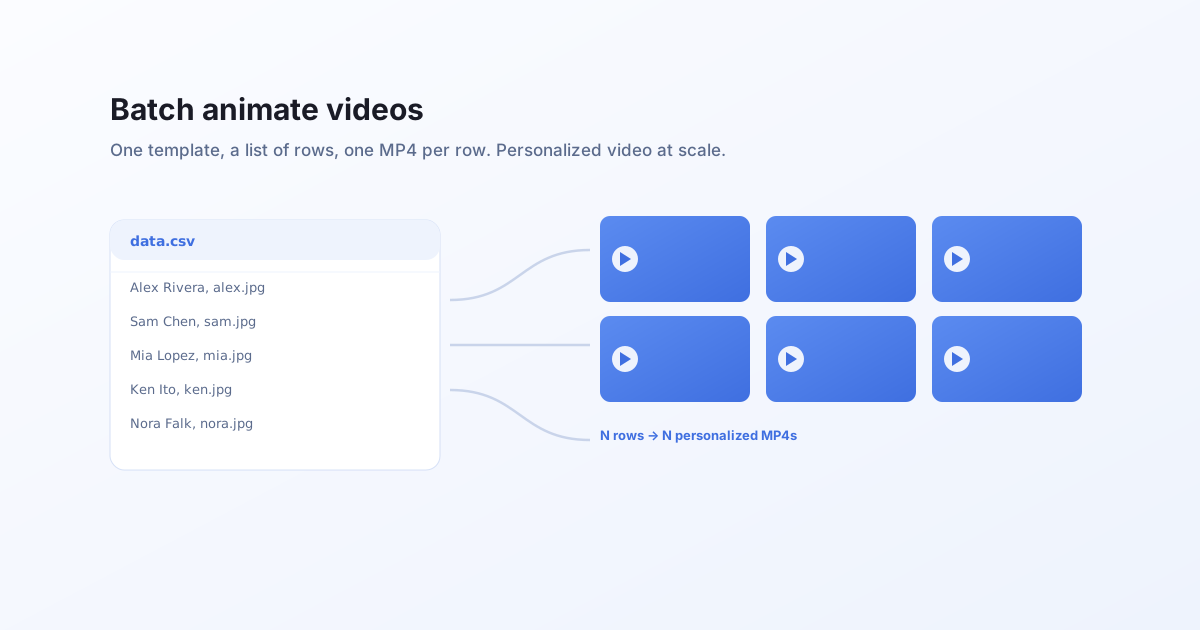
One template, many videos
Personalized video is normally a per-clip cost: an editor or an agency makes each one. With Bluepic it is a loop. You animate a template once, then send one render request per row of data. Each row produces its own MP4: one per recipient, product, city, or language.
The template does not change between rows. Only the data does. The clip is a pure function of the values you send.
The pattern
Read your rows (from a CSV, a database, a CRM export), and render one video per row. Here it is over the demo template, which needs no API key:
const rows = [
  { text1_text: "ALEX RIVERA", image4_image: { src: "https://…/alex.jpg" } },
  { text1_text: "SAM CHEN", image4_image: { src: "https://…/sam.jpg" } },
  { text1_text: "MIA LOPEZ", image4_image: { src: "https://…/mia.jpg" } },
  // …hundreds more
];

async function renderOne(data) {
  const res = await fetch("https://api.bluepic.io/api/render", {
    method: "POST",
    headers: { Authorization: "<your API key>", "Content-Type": "application/json" },
    body: JSON.stringify({
      templateId: "7ccf097c-10f2-4efc-bd03-8abe967c4711",
      data,
      format: "mp4",
    }),
  });
  // The video endpoint streams; read to the `end` event for the hosted URL.
  const reader = res.body.getReader();
  const decoder = new TextDecoder();
  let buffer = "";
  for (;;) {
    const { value, done } = await reader.read();
    if (value) buffer += decoder.decode(value, { stream: true });
    let i;
    while ((i = buffer.indexOf("\n\n")) !== -1) {
      const line = buffer.slice(0, i).split("\n").find((l) => l.startsWith("data:"));
      buffer = buffer.slice(i + 2);
      if (line) {
        const evt = JSON.parse(line.slice(5).trim());
        if (evt.type === "end") return evt.result;
        if (evt.type === "error") throw new Error(evt.message);
      }
    }
    if (done) break;
  }
  throw new Error("no result");
}
Run the batch with a concurrency limit
Do not fire all rows at once. Video renders are heavier than stills, so cap how many run in parallel and let the rest queue. A small worker pool is enough:
async function renderBatch(rows, concurrency = 4) {
  const results = [];
  let next = 0;
  async function worker() {
    while (next < rows.length) {
      const i = next++;
      try {
        results[i] = await renderOne(rows[i]);
      } catch (err) {
        results[i] = { error: String(err) };
      }
    }
  }
  await Promise.all(Array.from({ length: concurrency }, worker));
  return results; // one hosted MP4 URL (or an error) per input row
}

const urls = await renderBatch(rows, 4);
Each entry in urls lines up with a row in your data. Store them, attach them to your emails, post them, or hand them to whatever pipeline triggered the batch.
What to keep in mind
- Credits. Each video is metered by length and resolution (1 credit per second of 2K at 24fps), so a batch's cost is the sum of its clips. See how video credits work to estimate before a large job.
- Aspect ratios. Need square for a feed and vertical for stories? Build one template per ratio and run the same batch against each; the data stays identical.
- Idempotency. The same
dataalways produces the same video (rendering is deterministic), so you can safely cache results by input and skip re-rendering rows that have not changed.
Next
- The single-request version: generate video via API.
- Build the template you are batching: how to build a video template in Studio.